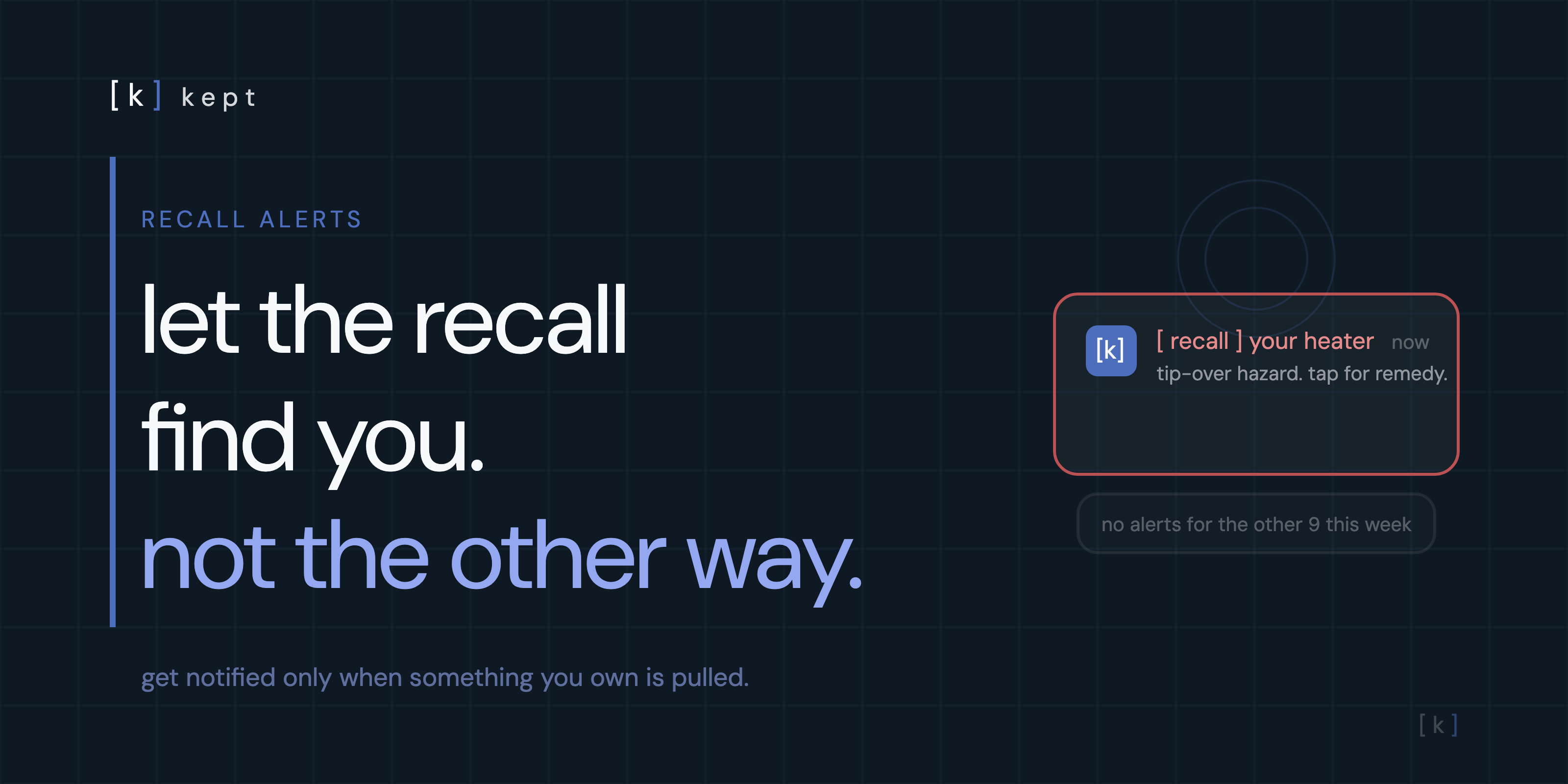
CPSC Recall Alerts: How to Get Notified Before It's Too Late
A product is safe the day you buy it. The recall comes later, sometimes years later, long after you've forgotten you own it. Alerts close that gap. Here's how to set them up.
table of contents
Why alerts beat checking
You can search the recall database any time. The trouble is remembering to. A product you bought in 2023 might be recalled in 2026, and nobody pings you when it happens. By then the box is gone, the manual is in a drawer, and the news cycle moved on in a day.
Alerts solve the memory problem. Instead of you remembering to check, the recall finds you. That's the whole point: a fire hazard on a space heater or a tip-over risk on a dresser is exactly the kind of thing you want pushed to your phone, not something you stumble on months late.
stop relying on remembering to check the recall list
kept watches CPSC recalls against the products you've saved and flags anything that gets pulled. You set it up once. Free, works on any phone.
try kept freeSet up CPSC email alerts
The official source for household product recalls is the CPSC, and they'll email you for free. This is the baseline everyone should have.
- Go to cpsc.gov/Newsroom/Subscribe.
- Choose the recall email alerts option.
- Enter your email and confirm.
The CPSC posts new recalls every Thursday morning, usually five to ten a week, and sends subscriber emails at the end of each business day. It takes one minute to set up and it's the most reliable feed there is for appliances, electronics, furniture, and toys.
If you also want to confirm a specific item right now rather than wait for the next email, our walkthrough on how to check if a product you own has been recalled covers the search side, and the CPSC recall database guide shows exactly what to type.
kept is reader-supported. When you buy through links on this page we may earn a small commission, at no extra cost to you. It never changes what we recommend.
Other ways to get notified
Email isn't the only channel. Depending on how you like to get news, one of these may suit you better.
- CPSC Recall App. The free app lets you browse and search recent recalls from your phone. Good for spot checks, though it won't push alerts about your specific items.
- Social. The CPSC posts most recalls to @USCPSC at the same time they go live on the site. Fast, but you only see them if you happen to be scrolling.
- recalls.gov. The federal hub that links CPSC, NHTSA, FDA, and USDA recalls in one place. No single combined email, but a solid bookmark.
- NHTSA. For cars, tires, and car seats, sign up at nhtsa.gov/recalls and search your vehicle by VIN.
- FDA and USDA. For food, drugs, and cosmetics, both agencies run their own recall alert lists.
kept stores your products and checks them against CPSC recalls in the background.
[ try kept free ]The problem with generic alerts
Here's the catch with every option above. They send you everything.
The CPSC email is the entire week's recall list, five to ten products you almost certainly don't own. Most weeks, nothing on it is yours. After a month of opening emails about kayaks and commercial fryers you've never touched, you stop opening them. The one week a recall actually matters, the email goes unread with the rest.
Generic alerts put the filtering work on you. Every week you're supposed to read the list and mentally cross-check it against everything in your house, which nobody actually does, because nobody remembers every model number they own. The alert is only as good as your memory, and memory is the thing that failed in the first place.
Alerts for only what you own
The better model flips it. Instead of getting every recall and filtering yourself, you save your products once and let the matching run for you. You only hear about a recall when it's actually yours.
That's how kept works. You add your items, with brand, model, and serial, and kept checks them against new CPSC recalls automatically. When something you own gets pulled, the item shows a red [ recall ] pill with the hazard, the remedy, and a link to the official notice. No weekly list to scan. No model numbers to memorize.
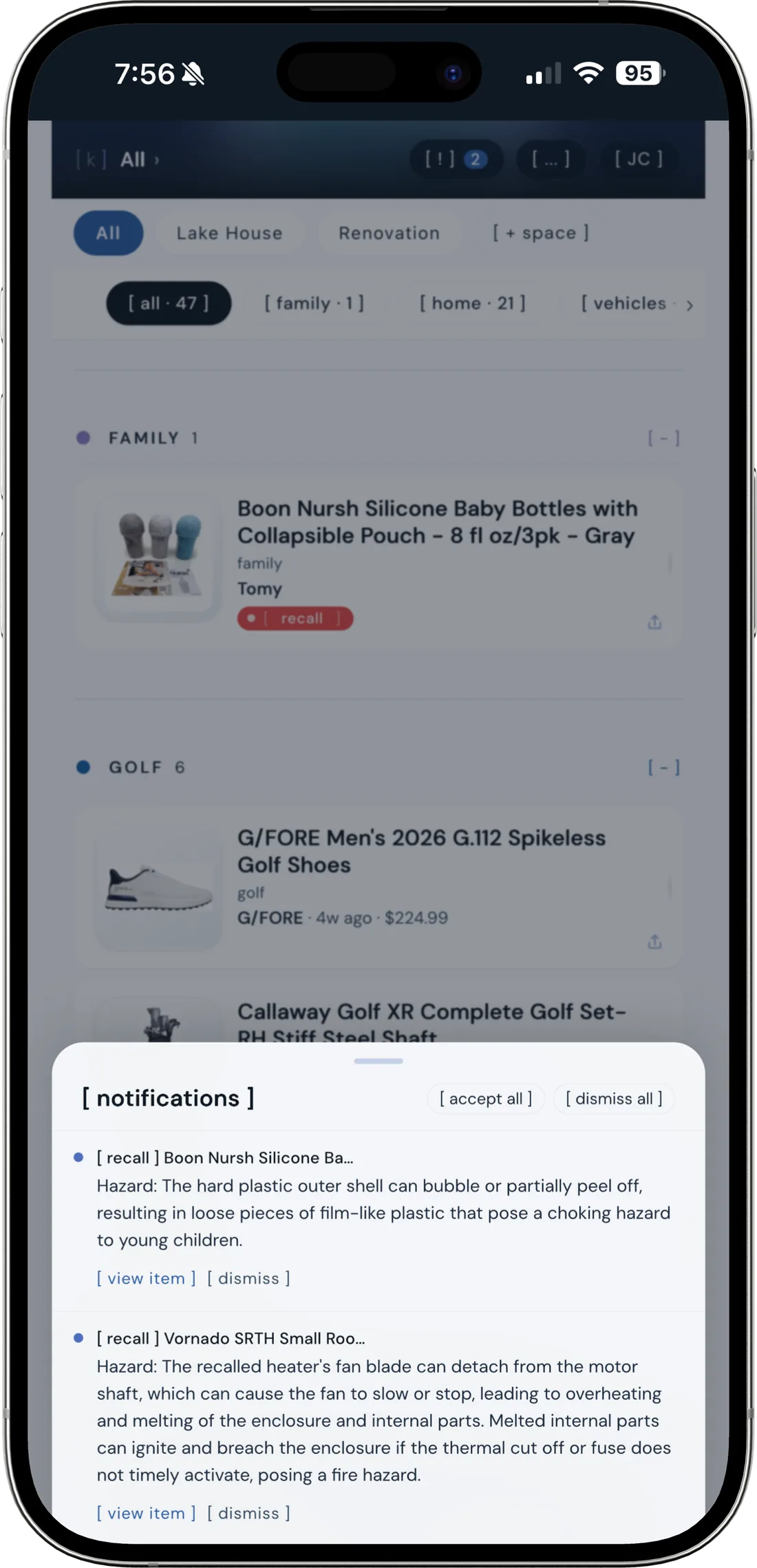
kept's alerts in action: two owned items flagged the moment the CPSC posted matching recalls, each with the hazard and a way to act.
Building the list is the only work, and it's a one-time job. Scan a barcode or data plate and kept fills in the product details. Those same records double as your home inventory for insurance and your appliance warranty tracker, so the recall alerts come along for free.
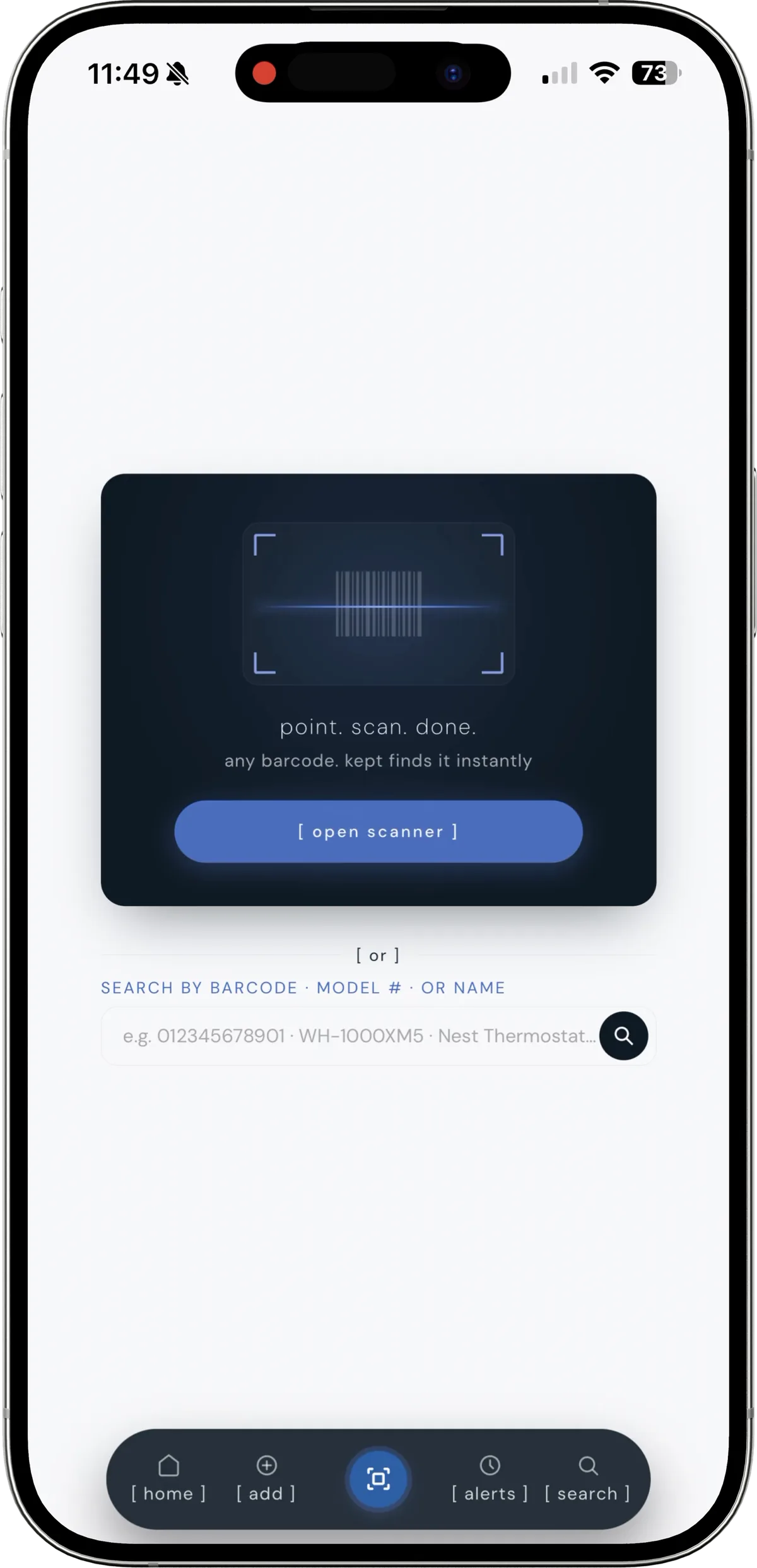
point, scan, done. kept reads the barcode and saves the model you'd otherwise have to memorize.
recall alerts for your stuff, not everyone's
Save your products once and kept watches CPSC recalls for you, flagging only the items you actually own. Free on any phone.
[ try kept free ]What to do when an alert hits
An alert is only useful if you act on it. When one lands, move quickly but in order.
- Read the hazard first. Fire, shock, tip-over, and laceration risks mean stop using the product now. A labeling or instructions recall is lower urgency.
- Find the remedy in the notice. Most recalls offer a free repair, replacement, or refund. The official notice tells you which and how to claim it.
- Have your model and serial ready. Almost every remedy requires them, which is the whole reason to keep them saved.
- Don't trash it yet. Some refunds require returning the unit or proving you disabled it. Follow the steps before you toss anything.
For a sense of how many recalled products sit unaddressed in homes for years, and a few of the biggest still out there, see our piece on hidden product recalls most homeowners miss.
The two-layer setup: subscribe to the CPSC email for full coverage, and save your products in kept for targeted alerts. The email is the safety net. The app is the filter that makes sure the one recall that matters doesn't get lost in the noise.
Frequently asked questions
How do I sign up for CPSC recall alerts?
Go to cpsc.gov/Newsroom/Subscribe, choose recall email alerts, and enter your email address. The CPSC sends the alerts at the end of each business day, and new recalls are typically posted Thursday mornings. The signup is free and you can unsubscribe at any time.
Does the CPSC have a recall app?
Yes. The free CPSC Recall App lets you search the recall database and browse recent recalls from your phone. It does not know which products you own, so you still have to search it yourself. To get alerts tied to your specific items, you need a home inventory app like kept that stores your models and serial numbers and matches them against new recalls automatically.
How often does the CPSC send recall alerts?
The CPSC posts new recalls every Thursday morning, usually five to ten per week, and emails subscribers at the end of each business day. Most weeks the list contains nothing that matches what you own, which is why scanning a full email every day gets tiring fast and many people stop reading them.
Can I get recall alerts for only the products I own?
Not from the CPSC directly. Their email alerts cover every new recall, not a filtered list of your items. To get alerts for only what you own, use a home inventory app like kept. You save your products once, with brand and model, and kept matches them against CPSC recalls automatically. You only hear about it when something you actually have is affected.
Are there recall alerts for cars and food too?
Yes, but they come from different agencies. The NHTSA handles vehicle, tire, and car seat recalls at nhtsa.gov/recalls, where you can search by VIN. The FDA and USDA handle food, drug, and cosmetic recalls. recalls.gov links to all of them in one place, though it does not offer a single combined email subscription.
Where do I report an unsafe consumer product?
Report it at SaferProducts.gov, the CPSC's public incident database. You can file a report whether or not the product has already been recalled — reports from consumers are part of how the CPSC decides to open new recall investigations in the first place. You'll need the brand, model, and a description of what happened.