Home Maintenance Record System: A Complete Guide That Actually Works
A simple home maintenance record system for tracking appliances, contractors, paint colors, warranties, and repairs — and why it matters when something goes wrong.

kept is reader-supported. When you buy through links on this page we may earn a small commission, at no extra cost to you. It never changes what we recommend.
Why most homeowners don't have a maintenance record system
It's not that people don't know it's a good idea. It's that setting one up feels like a project, and by the time they get around to it, the furnace filter size is forgotten, the contractor's card is lost, and the warranty paperwork is in a box in the garage.
The good news: you don't need a perfect system. You need a good-enough system that you'll actually use. A home maintenance log that captures what was done, when, and by whom is the foundation — everything else builds from there.
What to track in your home maintenance record
Appliances
- Refrigerator, washer, dryer, dishwasher, oven — model and serial numbers
- Purchase date and warranty expiration
- Repair history (what broke, what it cost, who fixed it)
- Replacement part sizes (furnace filter size, water filter type, etc.)
Home Systems (HVAC, Plumbing, Electrical)
- Furnace and AC model numbers and service dates
- Furnace filter size (and when it was last changed)
- Water heater model, age, and last service
- Electrical panel info (amp rating, location of breakers)
- Last service or maintenance dates
Contractors & Service People
- Plumber, electrician, painter, roofer, HVAC tech
- Phone number, email, company
- Services performed and dates
- Cost and quality notes
- Would hire again? Yes/No
Home Details
- Paint colors by room (brand, color name, color number)
- Flooring type and location (tile, hardwood, carpet)
- Roof age and material
- Foundation type (slab, basement, crawl space)
- Utility account numbers and provider contacts
Warranties & Receipts
- Appliance warranty dates and coverage details
- Home warranty (if you have one)
- Roof warranty or insurance
- Screenshots or photos of receipts
Repair & Maintenance History
- Date of repair or service
- What was done
- Cost
- Contractor/technician name
- When next service is due
How to set up your home maintenance record
- Gather what you have: Pull together any paperwork, manuals, warranties, and receipts. Don't be perfect about it. Just collect.
- Choose a digital system: Use a tool that's searchable and accessible from your phone. A physical binder won't help when you're at the store.
- Organize by category: Don't organize by room. Organize by type: appliances, contractors, warranties, paint colors, home systems. This makes searching easier.
- Start with the critical items: Don't try to document everything at once. Start with: appliance model numbers, contractor contact info, warranty dates, paint colors.
- Add details as you go: When you have an appliance repaired, add it to your record. When you find a good contractor, add them to your contractor list immediately. When you paint, save the color info that day.
- Share with your household: Your spouse should be able to access this info too. When you're traveling and something breaks, they need it.
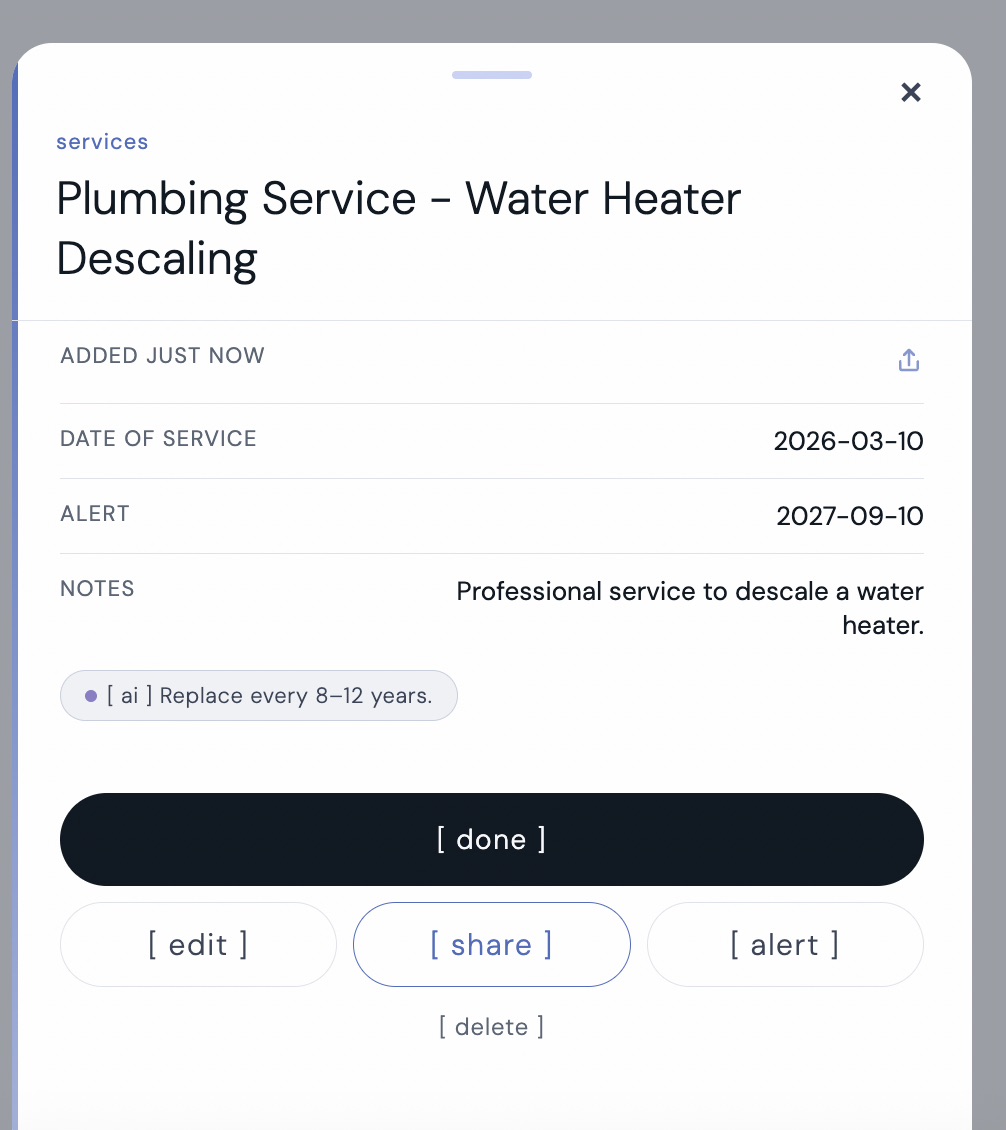
Here's what a home maintenance record looks like in kept — a water heater service with the date logged, an alert set for the next service, professional notes, and an AI-generated tip on when to expect replacement. Everything your future self needs, already organized.
Physical vs. Digital: Why Digital Wins
Physical binders have problems:
- They get lost or damaged
- Papers fall out or get removed
- You can't search — you have to flip through every page
- You can't access it when you're not home
- Only one person can use it at a time
- It gets outdated as soon as you file it away
Digital record systems have advantages:
- Searchable — find what you need in seconds
- Accessible from anywhere (phone, computer, tablet)
- Can be shared with your household
- Easy to update as you add new contractors or repairs
- Photos and documents stored with records
- Backup copies so you never lose it
What NOT to store in your maintenance record
- Passwords or security codes (use a separate password manager)
- Social security numbers or sensitive personal info
- Financial account information or payment methods
- Keys or access codes for doors/gates (store separately)
Your maintenance record is about your home and services, not sensitive security or financial data.
When to update your maintenance record
Add immediately:
- New appliances (model number, warranty date)
- Contractors you hire (name, contact, what they did)
- Home repairs or maintenance services
- Paint colors when you paint a room
Update quarterly:
- Check warranty expiration dates coming up in the next 3 months
- Update contractor list with anyone you wouldn't hire again
- Add any maintenance due (AC filter, furnace inspection, etc.)
Update annually:
- Review contractor list
- Update home system info (roof age, foundation status)
- Check warranty dates for next 12 months
kept logs every service date, cost, and contractor so your maintenance history is always one search away.
[ try kept free ]FAQ
Should I keep original receipts?
Keep digital copies (photos or scans). The physical receipt will fade and get lost. But you don't need to keep every receipt — just the ones for appliances, contractors, and major repairs.
How long should I keep maintenance records?
Keep them for as long as you own the home. If you sell, they're valuable to pass on to the new owner. After you sell, you can delete them.
What if I don't have the original paperwork?
Start with what you have now. Add model numbers by looking at the appliances. For past contractors, try searching old emails or ask neighbors for recommendations of the same contractors. You don't need to be perfect — a 70% complete record is better than no record.
Should I create separate records for each family member?
No. One shared household record that everyone can access is better. If your spouse knows the furnace model but you don't, they need to be able to find that information too.